Choosing WordPress Hosting in 2025 is not about picking a “popular plan name”; it is an infrastructure decision that should map directly to measurable business outcomes. Start by classifying your site: a corporate brochure site, a content-heavy blog, a WooCommerce store, or a membership/learning platform each stresses hosting differently. For e-commerce, the critical path is cart and checkout responsiveness, database consistency, and resilience during marketing spikes; for editorial sites, the focus shifts toward cache efficiency, CDN behavior, and sustained read performance under concurrent users. In this first step, set realistic targets such as acceptable TTFB ranges, error thresholds (5xx), expected monthly traffic growth, and peak-event scenarios (campaigns, launches, seasonal sales). Also document operational constraints: required integrations (payment gateways, CRM/ERP), plugin footprint, and how frequently your team ships updates. Without a clear target profile, hosting choices become guesswork—often resulting in performance regressions, security exposure, and costly migrations later. A professional WordPress Hosting strategy starts with clarity, because clarity turns “hosting” into an engineered system rather than a recurring expense.
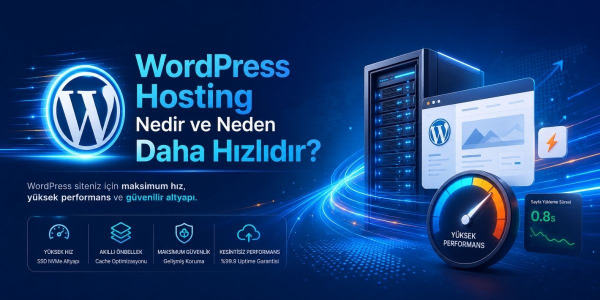
WordPress performance is a product of resources plus architecture, not raw server specs alone. The most common bottlenecks are PHP execution, database query patterns, and storage I/O—especially on admin workflows and WooCommerce order processing. That is why fast storage (typically NVMe) and sufficient memory matter: storage reduces latency for reads/writes, while memory supports stable caching layers and reduces thrashing under load. On the software side, PHP versioning and configuration are foundational: modern PHP releases (validated for theme/plugin compatibility) typically deliver better efficiency and security; OpCache should be correctly enabled and tuned to prevent repetitive script compilation. Caching must be treated as a layered strategy: page caching, object caching (often Redis or Memcached), browser caching, and—when your audience is geographically distributed—CDN caching with proper cache-control rules. Network-level optimizations also contribute materially to real-world speed: HTTP/2 and HTTP/3 support, efficient TLS configuration, compression (Brotli/Gzip), and sane keep-alive settings improve perceived performance, particularly on mobile. A high-quality WordPress Hosting environment should make these layers predictable, observable, and maintainable—so performance is repeatable, not accidental.
Because WordPress powers a large share of the web, it remains a high-frequency target for automated attacks, vulnerability scanning, and credential abuse. In 2025, security cannot be bolted on purely through plugins; it must be designed into the hosting environment. A strong baseline includes a WAF (Web Application Firewall) to reduce exposure to known exploit patterns and hostile bots, but a WAF is only one layer. Equally important is tenant isolation in multi-site or shared environments: a single compromised site should not become a pivot point into neighboring accounts, and file permissions must be enforced with least-privilege principles. Continuous malware scanning, brute-force mitigation, and rate controls should complement application hardening, while log visibility and incident-oriented monitoring ensure problems are diagnosed quickly and accurately. Recovery design is the “silent hero” of WordPress security: automated backups are meaningful only if restores are fast, reliable, and testable; staging environments and controlled update workflows reduce the chance that a security patch breaks production. Administrative access policies (2FA, constrained admin roles, optional IP restrictions) and integrity checks help build trust and demonstrate operational maturity. When security is engineered rather than improvised, your site becomes harder to compromise and easier to recover—two outcomes that matter equally.
Even a perfectly tuned server stack cannot compensate for weak data center operations or an unreliable network edge. Uptime is the output of redundancy (power, cooling), hardware monitoring, incident response discipline, and network design—not merely a marketing percentage. Latency and routing quality directly impact user experience: for region-specific audiences, proximity and peering can reduce round trips; for global audiences, CDN integration and smart caching strategies mitigate distance. DDoS resilience is no longer “enterprise-only”—any site running campaigns, promotions, or viral content can become a target for volumetric floods or layer-7 pressure that exhausts PHP workers and database connections. A professional hosting provider should offer network-level filtering and anomaly handling, plus sensible application-layer controls such as rate limiting and bot mitigation. Observability also matters: performance and reliability should be measurable through dashboards or reporting—response times, error rates, resource consumption, and database load—so issues are detected before users complain. In practice, the best WordPress Hosting is the one whose infrastructure you rarely notice, because it behaves consistently under stress and provides clear signals when tuning is needed.
To choose the right WordPress Hosting plan, rely on a checklist that translates your goals into verifiable capabilities: (1) guaranteed resources and scaling options for traffic spikes, (2) storage type and I/O performance (NVMe is typically preferred), (3) software stack compatibility (modern PHP, secure web server configuration, HTTP/2–HTTP/3 support), (4) caching coverage and manageability (page + object caching and CDN friendliness), (5) security components (WAF, isolation, malware scanning, 2FA options), (6) backup architecture (automated, multiple copies, restore speed, and practical testability), and (7) support competency (not just availability, but proven WordPress and infrastructure expertise). Once you decide, treat migration as a controlled release, not a single DNS flip. The safest flow is: clone to a staging environment, validate caching and dynamic pages (cart/checkout/login), confirm cron jobs and email/SMTP dependencies, and only then perform the final DNS cutover with post-move monitoring. After migration, verify Core Web Vitals, error logs, plugin compatibility, and scheduled tasks. This disciplined approach protects SEO stability as well: unstable response times and frequent server errors can create indexation and ranking volatility, which is preventable with proper migration hygiene.
In summary, a modern “WordPress Hosting Guide 2025” is about building a dependable system: define measurable goals, implement a performance stack that combines resources with layered caching and modern protocols, and treat security as a hosting-layer design problem backed by recovery discipline. When done well, speed improvements translate into better user experience and stronger conversion outcomes; security controls reduce the likelihood and impact of incidents; and reliable data center/network fundamentals prevent downtime that damages revenue and trust. The long-term risks of a poor choice are often underestimated: SEO turbulence, lost sales during peak periods, compromised sites, reputational damage, and emergency migrations that cost far more than a thoughtful selection upfront. A professional hosting decision should therefore be evaluated like any core business dependency—through capability, resilience, and operational maturity. Choose a plan that supports your site’s next stage of growth, and your hosting will become a catalyst instead of a constraint.
Q1: What’s the difference between WordPress Hosting and standard shared hosting?
WordPress Hosting is typically tuned for WordPress with optimized caching, PHP settings, and stronger security layers like WAF and isolation for more consistent results.
Q2: What are the top performance factors for WordPress in 2025?
Fast storage (often NVMe), modern PHP with OpCache, layered caching (page + object), and HTTP/2–HTTP/3 support are among the most impactful.
Q3: Is a WAF necessary if I use security plugins?
Security plugins help, but a WAF at the hosting edge reduces exposure to automated attacks and known exploit patterns before they reach WordPress.
Q4: If backups are enabled, am I fully safe?
Not automatically—backup quality depends on restore speed, offsite copies, and whether you can reliably test and execute a clean recovery.

 Turkey (Türkçe)